
Are you preparing for an Azure interview in Hyderabad? Whether you are a fresher looking for your first IT opportunity or an experienced professional planning to move into cloud computing, preparing for Microsoft Azure Interview Questions and Answers in Hyderabads is an important step in your career journey.
Today, many organizations use cloud platforms to host applications, manage databases, process data and build scalable business solutions. Microsoft Azure provides a wide range of cloud services that help organizations manage their IT infrastructure without depending entirely on traditional physical servers.
If you are attending interviews for Azure Cloud Engineer, Azure Administrator, Azure Developer, Azure Data Engineer or Cloud Architect positions, interviewers may ask questions about Azure fundamentals, Virtual Machines, Storage Accounts, Networking, Security, Azure DevOps, Monitoring and real-time project scenarios.
But here is something important: knowing definitions alone is not enough to clear a technical interview.
Interviewers also want to understand how you use Azure services in practical situations, how you troubleshoot issues and how you make technical decisions.
In this blog, we have covered 50 important Azure Interview Questions and Answers in Hyderabad, explained in simple and natural language, with practical examples to help you prepare confidently.
Why Should You Prepare for Azure Interviews?
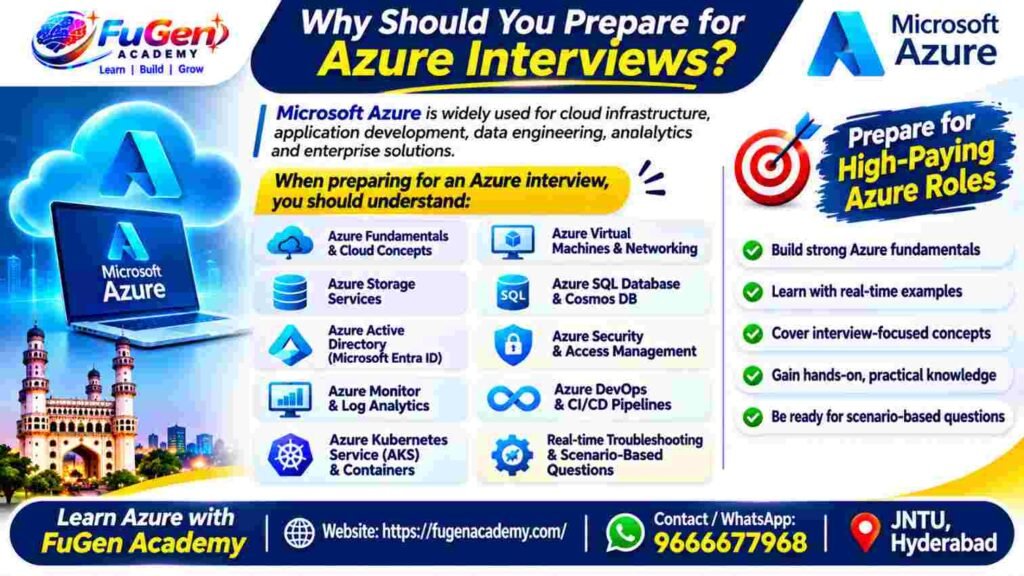
Microsoft Azure is widely used for cloud infrastructure, application development, data engineering, analytics and enterprise solutions.
When preparing for an Azure interview, you should understand:
- Azure fundamentals and cloud computing concepts.
- Azure Virtual Machines and networking.
- Azure Storage services.
- Azure SQL Database and Cosmos DB.
- Azure Active Directory (Microsoft Entra ID).
- Azure security and access management.
- Azure Monitor and Log Analytics.
- Azure DevOps and CI/CD pipelines.
- Azure Kubernetes Service and containers.
- Real-time troubleshooting and scenario-based questions.
Let’s start with the most frequently discussed Azure Interview Questions and Answers in Hyderabad.
Explore Azure Data Engineering Training at FuGen Academy
Website: https://fugenacademy.com/
Mobile / WhatsApp: 9666677968
Section 1: Azure Fundamentals Interview Questions
1. What is Microsoft Azure?
Microsoft Azure is a cloud computing platform provided by Microsoft. It offers services such as computing, storage, networking, databases, analytics, artificial intelligence and application development.
In simple words, instead of purchasing physical servers and maintaining them in your office, you can use Azure to create and manage resources over the cloud.
Real-time example:
Imagine an organization developing an online shopping application. Instead of maintaining its own servers, the company can use:
- Azure Virtual Machines to host applications.
- Azure SQL Database to store customer information.
- Azure Blob Storage to store product images.
- Azure Application Gateway to manage incoming application traffic.
- Azure Monitor to monitor application performance.
This helps organizations build scalable applications while reducing infrastructure management responsibilities.
2. What are the major benefits of Azure?
Azure provides several benefits for organizations.
Scalability: Applications can scale according to business requirements.
Cost optimization: Organizations can manage infrastructure costs based on resource consumption and pricing options.
High availability: Azure provides availability zones, redundancy and other reliability features.
Security: Services such as Microsoft Entra ID, Azure Key Vault and Azure Firewall help protect resources.
Global infrastructure: Organizations can deploy applications in supported Azure regions.
Disaster recovery: Services such as Azure Backup and Azure Site Recovery help organizations recover from failures.
Interview tip: Don’t just list the benefits. Explain how you would use at least one Azure service in a real project.
3. What are IaaS, PaaS and SaaS in Azure?
These are the three major cloud service models.
IaaS – Infrastructure as a Service
Azure provides infrastructure such as virtual machines, storage and networking. Customers manage the operating system and applications.
Example: Azure Virtual Machines.
PaaS – Platform as a Service
Azure manages the underlying infrastructure and platform. Developers mainly focus on application development and data.
Example: Azure App Service.
SaaS – Software as a Service
Users access ready-to-use software over the internet without managing the underlying infrastructure.
Example: Microsoft 365.
Simple interview explanation:
IaaS gives you infrastructure, PaaS gives you a managed application platform, and SaaS gives you ready-to-use software.
4. What are the different cloud deployment models?
There are three commonly discussed deployment models.
Public Cloud: Cloud resources are provided over the internet using a shared cloud infrastructure.
Private Cloud: Infrastructure is dedicated to one organization.
Hybrid Cloud: Combines on-premises infrastructure and public cloud resources.
Real-time example:
A banking organization may keep certain sensitive databases on-premises while hosting its application frontend in Azure. This is an example of a hybrid cloud architecture.
5. What is Azure Resource Manager (ARM)?
Azure Resource Manager is the deployment and management layer used to create, update and delete Azure resources.
It helps administrators organize and manage resources consistently.
Important ARM concepts include:
- Resource Groups.
- ARM Templates.
- Role-Based Access Control.
- Resource Tags.
- Resource deployment management.
Real-time example:
Suppose you are developing a project that requires two virtual machines, one storage account and one virtual network.
You can organize these related resources inside a resource group and manage them together.
Learn Azure with FuGen Academy – Hyderabad
Website: https://fugenacademy.com/
Contact / WhatsApp: 9666677968
Section 2: Azure Virtual Machines and Compute Interview Questions
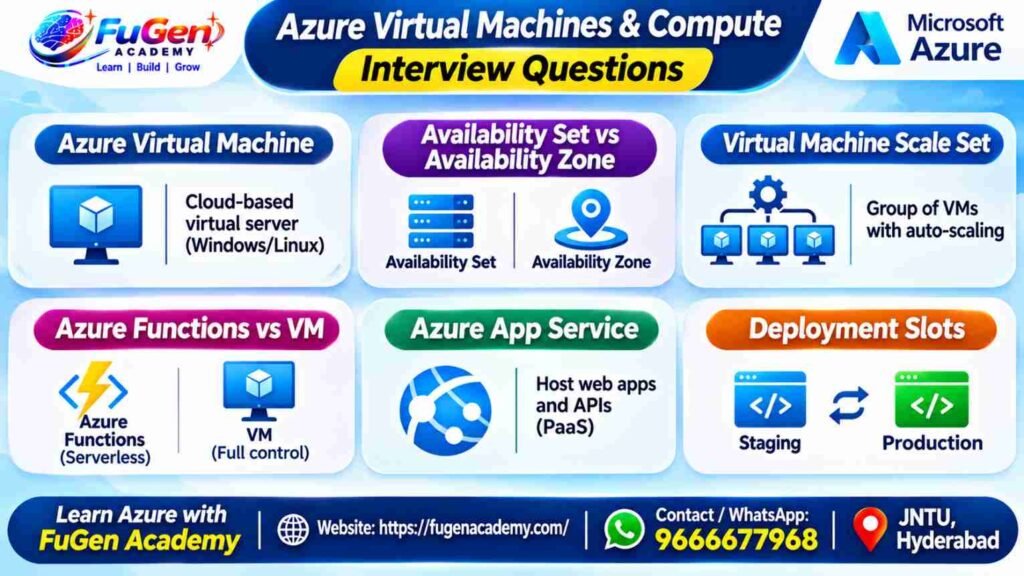
6. What is an Azure Virtual Machine?
An Azure Virtual Machine is a cloud-based computing resource that provides a virtualized server environment.
You can install operating systems, applications, databases and development tools based on your requirements.
Azure supports Windows and Linux virtual machines.
Example:
If your organization wants to host a Java application, you can create a Linux VM, install Java, configure the application server and deploy your application.
7. What is the difference between Availability Set and Availability Zone?
Both services help improve application availability, but they work differently.
Availability Set:
- Logically distributes virtual machines.
- Uses fault domains and update domains.
- Helps protect against certain hardware failures and planned maintenance events.
Availability Zone:
- Uses physically separate locations within an Azure region.
- Each zone has independent power, cooling and networking.
- Helps protect applications from data center-level failures.
Interview example:
If you need to protect an application against a complete data center failure, availability zones are generally more suitable than availability sets.
8. What is Azure Virtual Machine Scale Set?
Azure Virtual Machine Scale Sets allow you to deploy and manage a group of virtual machine instances.
You can automatically increase or decrease the number of VM instances depending on application demand.
Example:
Suppose an e-commerce application normally receives 1,000 users per hour, but during a festival sale, traffic increases significantly.
VM Scale Sets can automatically add instances based on configured scaling rules.
This helps maintain application performance without requiring an administrator to manually create virtual machines.
9. What is the difference between Azure Functions and Azure Virtual Machines?
Azure Virtual Machines provide complete control over the operating system and server environment.
Azure Functions is a serverless compute service that executes code based on triggers and events.
Azure Virtual Machines:
- Requires operating system management.
- Suitable for applications requiring infrastructure control.
- Supports long-running workloads depending on configuration.
Azure Functions:
- No need to manage individual servers.
- Supports HTTP, timer, queue and other triggers.
- Useful for event-driven application logic.
Example:
If you need to execute a small piece of code whenever a new file arrives in Azure Blob Storage, Azure Functions can be a suitable choice.
10. What is Azure App Service?
Azure App Service is a Platform-as-a-Service offering used to host web applications, REST APIs and mobile application backends.
It helps developers deploy applications without managing the underlying virtual machines.
It supports multiple development technologies, including .NET, Java, Node.js and Python.
Example:
You have developed a Python Flask application. Instead of configuring a VM and manually maintaining the web server, you can deploy the application using Azure App Service.
11. What are Deployment Slots in Azure App Service?
Deployment Slots are separate application environments that help deploy and test application versions before moving them into production.
For example:
- Production Slot – Current live application.
- Staging Slot – Newly developed application version.
Once testing is completed, you can swap the staging and production slots.
This approach is commonly used for Blue-Green deployment strategies and helps reduce deployment downtime.
Learn Azure with FuGen Academy – Hyderabad
Website: https://fugenacademy.com/
Contact / WhatsApp: 9666677968
Section 3: Azure Storage and Database Interview Questions
12. What is Azure Blob Storage?
Azure Blob Storage is a cloud storage service designed to store large amounts of unstructured data.
It can store:
- Images.
- Videos.
- Documents.
- Log files.
- Backup files.
- Data files used in analytics.
Real-time example:
Suppose a data engineering team receives daily customer transaction files from an external system.
The team can upload these files into Azure Blob Storage and use Azure Data Factory or other processing tools to move and transform the data.
13. What are the different Azure Storage services?
Azure provides different storage services depending on application requirements.
Blob Storage: Stores unstructured data such as images, videos and files.
Azure Files: Provides managed file shares that can be accessed using protocols such as SMB.
Queue Storage: Supports asynchronous communication between application components.
Table Storage: Provides NoSQL key-value storage.
Example:
If multiple virtual machines need access to a common file share, Azure Files can be a suitable option.
14. What is the difference between Azure Blob Storage and Azure Files?
Azure Blob Storage is mainly designed for storing large amounts of unstructured object data.
Azure Files provides managed file shares that applications and virtual machines can access through standard file-sharing protocols.
| Blob Storage | Azure Files |
| Object storage | Managed file shares |
| Stores images, videos and files | Provides shared file access |
| Accessed through supported storage APIs | Supports SMB and NFS options depending on configuration |
| Suitable for data lakes and backups | Suitable for shared application files |
15. What is the difference between Azure SQL Database and Azure Table Storage?
Azure SQL Database is a managed relational database service.
Azure Table Storage is a NoSQL key-value storage service.
Azure SQL Database:
- Uses structured tables.
- Supports SQL queries and joins.
- Supports relational constraints and transactions.
- Suitable for business applications.
Azure Table Storage:
- Uses PartitionKey and RowKey.
- Supports flexible, schema-less data.
- Suitable for large-scale key-value workloads.
Interview tip: Explain the application requirements before selecting a database. Don’t assume one database is suitable for every use case.
16. What is Azure Cosmos DB?
Azure Cosmos DB is a globally distributed NoSQL database service.
It supports multiple APIs, flexible data models, scalable throughput and configurable consistency levels.
The five consistency levels are:
- Strong.
- Bounded Staleness.
- Session.
- Consistent Prefix.
- Eventual.
Example:
An application operating across multiple countries may use Cosmos DB to support globally distributed data access.
17. What are the different Azure Storage redundancy options?
Azure Storage provides different redundancy configurations to protect data.
LRS – Locally Redundant Storage: Maintains multiple copies within a single data center.
ZRS – Zone-Redundant Storage: Replicates data across availability zones within a region.
GRS – Geo-Redundant Storage: Replicates data to a secondary region.
RA-GRS – Read-Access Geo-Redundant Storage: Provides read access to the secondary region.
GZRS – Geo-Zone-Redundant Storage: Combines zone redundancy in the primary region with geographic replication.
The appropriate option depends on recovery requirements, availability needs and cost.
Learn Azure with FuGen Academy – Hyderabad
Website: https://fugenacademy.com/
Contact / WhatsApp: 9666677968
Section 4: Azure Networking Interview Questions
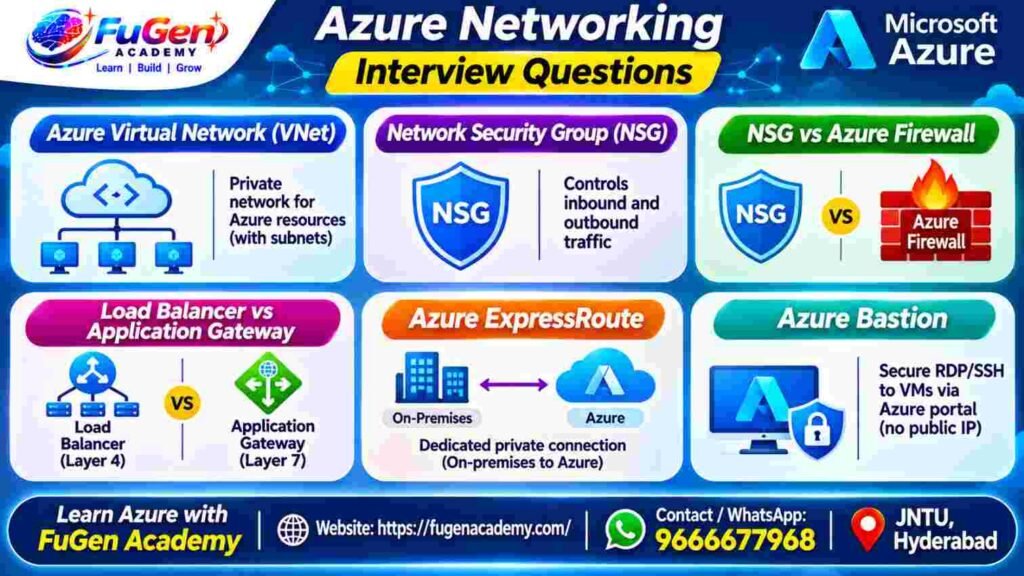
18. What is Azure Virtual Network (VNet)?
Azure Virtual Network is a private networking environment that allows Azure resources to communicate securely.
You can create subnets, configure network security groups and connect resources using supported networking services.
Example:
Consider an application with three layers:
- Web Layer.
- Application Layer.
- Database Layer.
You can place these resources in separate subnets within a VNet and configure network rules to control communication between them.
19. What is a Network Security Group (NSG)?
A Network Security Group controls inbound and outbound network traffic to Azure resources.
It uses security rules based on:
- Source IP address.
- Destination IP address.
- Port number.
- Protocol.
- Traffic direction.
Example:
Suppose your Linux VM should allow SSH access only from your organization’s approved IP address.
You can configure an inbound NSG rule to restrict SSH access.
20. What is the difference between NSG and Azure Firewall?
NSG and Azure Firewall both provide network security, but their responsibilities are different.
NSG:
- Filters inbound and outbound traffic.
- Applied to subnets or network interfaces.
- Uses rules based on IP addresses, ports and protocols.
Azure Firewall:
- Centralized managed network security service.
- Supports network, application and NAT rules.
- Provides advanced traffic filtering and threat intelligence capabilities.
21. What is the difference between Azure Load Balancer and Application Gateway?
Azure Load Balancer operates at Layer 4 and distributes TCP and UDP traffic.
Application Gateway operates at Layer 7 and provides application-level routing for HTTP and HTTPS traffic.
Example:
If you want to distribute TCP traffic across multiple virtual machines, Azure Load Balancer may be suitable.
If you want to route website requests based on URL paths, Application Gateway is a better option.
22. What is Azure ExpressRoute?
Azure ExpressRoute provides a dedicated private network connection between an organization’s on-premises infrastructure and Microsoft cloud services.
It does not use the public internet for the private connectivity path.
Organizations use it when they need predictable connectivity, higher bandwidth options or private hybrid-cloud connectivity.
23. What is Azure Bastion?
Azure Bastion is a managed service that allows administrators to connect to Azure virtual machines using RDP or SSH through the Azure portal.
One important advantage is that the VM does not need a public IP address for Bastion-based connectivity.
It helps reduce the exposure of management ports such as 3389 and 22 to the public internet.
Section 5: Azure Security and Identity Interview Questions
24. What is Microsoft Entra ID?
Microsoft Entra ID, formerly known as Azure Active Directory, is Microsoft’s cloud-based identity and access management service.
It helps organizations manage users, groups, authentication and application access.
Important features include:
- Single Sign-On (SSO).
- Multi-Factor Authentication (MFA).
- Conditional Access.
- Identity management.
- Application authentication.
Example:
An employee can use one organizational account to access multiple company applications without repeatedly entering credentials.
25. What is Azure Role-Based Access Control (RBAC)?
Azure RBAC is used to manage permissions for users, groups and applications accessing Azure resources.
Some common built-in roles include:
- Owner.
- Contributor.
- Reader.
- User Access Administrator.
Example:
Suppose a developer needs permission to create and modify resources but should not have permission to assign access to other users.
You can assign an appropriate role at the required scope instead of providing unnecessary administrative privileges.
26. What is Azure Key Vault?
Azure Key Vault is a service used to securely store and manage secrets, encryption keys and certificates.
It helps prevent developers from storing sensitive credentials directly in application code.
Example:
Suppose an application needs to connect to an Azure SQL Database.
Instead of hardcoding the database password in the application, you can store the secret in Key Vault and configure secure access.
27. What is Managed Identity in Azure?
Managed Identity allows Azure resources to authenticate with other Azure services without manually storing credentials in application code.
There are two types:
System-assigned Managed Identity:
- Created for a specific Azure resource.
- Its lifecycle is connected to that resource.
- Deleted when the associated resource is deleted.
User-assigned Managed Identity:
- Created as a separate Azure resource.
- Has an independent lifecycle.
- Can be associated with multiple Azure resources.
Example:
An Azure Function needs to read files from Azure Storage. You can assign a managed identity and grant the required storage permissions.
Section 6: Azure Monitoring and DevOps Interview Questions
28. What is Azure Monitor?
Azure Monitor is a monitoring service used to collect and analyze metrics, logs and other telemetry from Azure resources.
It helps administrators understand application health and identify performance issues.
You can configure alerts based on monitoring conditions.
29. What is Azure Log Analytics?
Azure Log Analytics is a service within Azure Monitor used to collect, store and analyze log data.
It uses Kusto Query Language (KQL) to query and investigate log information.
For example, you can use KQL to identify failed application requests or investigate slow API responses.
30. What is KQL in Azure?
KQL stands for Kusto Query Language.
It is used to query and analyze log data in Azure Monitor Log Analytics.
Example:
AppRequests
| where TimeGenerated > ago(24h)
| where Success == false
| project TimeGenerated, Name, Url, ResultCode
| order by TimeGenerated desc
This query retrieves failed application requests from the last 24 hours.
Important KQL operators include:
- where – Filters records.
- project – Selects columns.
- summarize – Performs aggregations.
- order by – Sorts results.
- join – Combines datasets.
31. What is Azure DevOps?
Azure DevOps is a collection of services used to manage the software development lifecycle.
Its core services include:
Azure Repos: Manages source code using Git or TFVC.
Azure Pipelines: Supports build and deployment automation.
Azure Boards: Manages work items, tasks and sprint planning.
Azure Artifacts: Manages packages and dependencies.
Azure Test Plans: Supports software testing activities.
32. What is CI/CD in Azure DevOps?
CI/CD stands for Continuous Integration and Continuous Delivery or Deployment.
Continuous Integration involves automatically building and testing code changes.
Continuous Delivery or Deployment automates the process of preparing or releasing application changes.
Real-time example:
A developer pushes code to an Azure Repos Git repository.
An Azure Pipeline starts automatically, builds the application, executes tests and deploys the application to the selected environment.
This reduces manual deployment activities and helps maintain a consistent release process.
33. What is the difference between ARM Templates, Bicep and Terraform?
All three are Infrastructure as Code tools.
ARM Templates:
- Azure-native deployment templates.
- Written in JSON.
- Declarative approach.
Bicep:
- Azure-native Infrastructure as Code language.
- Easier-to-read syntax.
- Compiles into ARM templates.
Terraform:
- Uses HashiCorp Configuration Language (HCL).
- Supports multiple cloud providers.
- Maintains infrastructure state.
The choice depends on the project architecture, cloud strategy and team requirements.
Section 7: Azure Scenario-Based Interview Questions
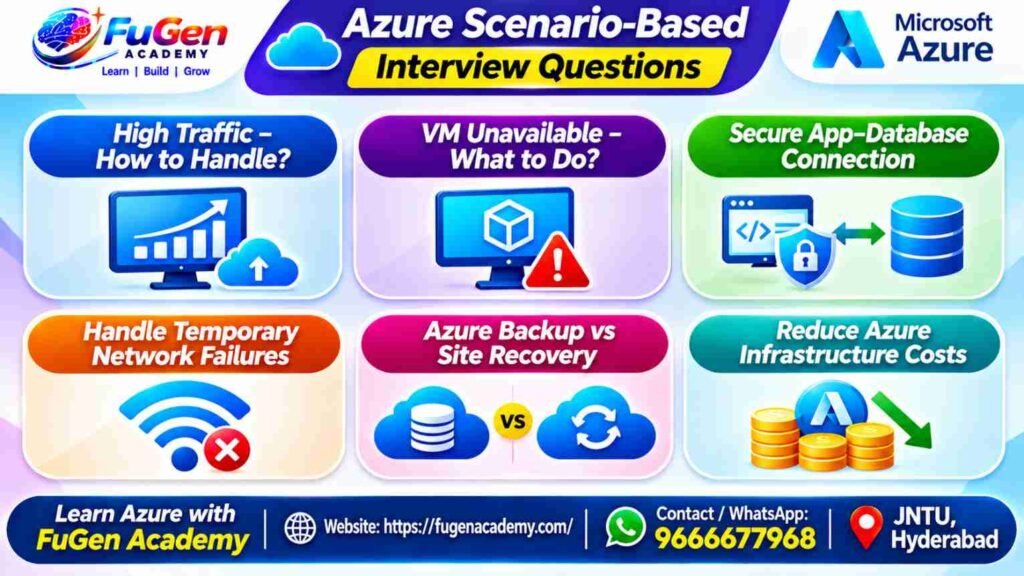
These questions are especially useful for candidates with practical project experience.
34. Your Azure application is experiencing high traffic. How would you handle it?
First, I would identify which application component is causing the performance issue.
I would check:
- CPU and memory utilization.
- Application response time.
- Network traffic.
- Database performance.
- Application logs.
Depending on the architecture, I could configure autoscaling, VM Scale Sets, Application Gateway or Azure Front Door.
I would also review Azure Monitor metrics and configure alerts.
What the interviewer expects: You should explain how you identify the bottleneck before suggesting a scaling solution.
35. What would you do if an Azure Virtual Machine suddenly became unavailable?
I would follow a structured troubleshooting approach.
- Check the VM status in the Azure portal.
- Review Azure Monitor metrics and boot diagnostics.
- Check network connectivity and NSG rules.
- Review recent configuration changes.
- Verify disk and operating system health.
- Check whether the issue is related to the Azure platform or the VM itself.
If the VM cannot be recovered, I would follow the organization’s recovery procedure using available backups or replication.
36. How would you securely connect an Azure application to a database?
I would first identify the application’s connectivity requirements.
Depending on the architecture, I could use:
- Virtual Network integration.
- Private Endpoint.
- Appropriate network security rules.
- Microsoft Entra authentication where supported.
- Managed Identity.
- Azure Key Vault for secrets and certificates.
The objective is to avoid unnecessary public exposure and hardcoded credentials.
37. How do you handle application failures caused by temporary network issues?
I would implement retry mechanisms with exponential backoff and appropriate timeout settings.
I would also ensure that the application can handle transient failures without creating duplicate transactions.
For critical applications, I would review availability, failover and monitoring configurations.
Example:
If an application temporarily loses connectivity to Azure SQL Database, it can retry the operation after a progressively longer delay rather than immediately failing.
38. What is the difference between Azure Backup and Azure Site Recovery?
Azure Backup is primarily used to protect data and restore it when required.
Azure Site Recovery is used for disaster recovery by replicating workloads and supporting failover and failback procedures.
Simple explanation:
- Azure Backup helps recover lost or corrupted data.
- Azure Site Recovery helps recover application workloads during major outages.
39. How would you reduce Azure infrastructure costs?
I would start by analyzing actual resource usage.
My approach would include:
- Reviewing Azure Cost Management reports.
- Identifying underutilized virtual machines.
- Selecting appropriate VM sizes.
- Removing unused resources.
- Applying autoscaling where suitable.
- Using reserved capacity for predictable workloads.
- Considering Spot VMs for interruptible workloads.
- Reviewing Azure Advisor recommendations.
Cost optimization should not compromise the application’s required availability or performance.
40. What happens if a primary server goes down in a hybrid cloud environment?
I would first identify the recovery requirements and the configured disaster recovery architecture.
Depending on the setup, the organization may use Azure Site Recovery to fail over workloads to a secondary location.
Traffic routing services such as Azure Traffic Manager or Azure Front Door may also help direct users to healthy application endpoints.
The exact procedure depends on the recovery plan, DNS configuration, database replication and application dependencies.
Section 8: Advanced Azure Interview Questions
41. What is the difference between Azure Event Grid, Event Hubs and Service Bus?
These services are designed for different messaging and event-processing requirements.
Event Grid: Used for event routing and event-driven architectures.
Event Hubs: Designed for large-scale event ingestion and streaming analytics.
Service Bus: Used for reliable enterprise messaging with features such as queues, topics, sessions and dead-letter queues.
Example:
- Event Grid: Notify an application when a new blob is uploaded.
- Event Hubs: Collect millions of telemetry events from devices.
- Service Bus: Manage reliable communication between enterprise applications.
42. What is Azure Kubernetes Service (AKS)?
Azure Kubernetes Service is a managed Kubernetes service used to deploy and manage containerized applications.
It supports container orchestration, scaling, networking and application management.
Organizations commonly use AKS for microservices and container-based application architectures.
43. What is the difference between AKS and Azure Container Instances?
AKS is designed for managing containerized applications using Kubernetes orchestration.
Azure Container Instances allows users to run containers without managing virtual machines or Kubernetes clusters.
AKS: Suitable for production applications requiring orchestration and scaling.
ACI: Suitable for simple container workloads, testing and short-lived tasks.
44. What is Azure Logic Apps?
Azure Logic Apps is a cloud-based workflow automation service.
It helps connect applications, services and systems using triggers and actions.
Example:
Whenever a customer submits an online form, a Logic App can automatically send an email notification, store information in a database and trigger another workflow.
45. What is the difference between Azure Logic Apps and Azure Functions?
Logic Apps is primarily used for workflow automation and service integration.
Azure Functions is used to execute custom code based on events and triggers.
A Logic App can coordinate multiple services, while a Function can implement specific business logic.
Both services can work together in the same architecture.
46. What is Azure Private Endpoint?
An Azure Private Endpoint provides a private IP address from your Virtual Network to connect privately to supported Azure services.
For example, you can use a private endpoint to connect to Azure Storage or Azure SQL Database without relying on the service’s public endpoint for that connection.
47. What is the difference between Private Endpoint and Service Endpoint?
Private Endpoint:
- Provides a private IP address inside your VNet.
- Uses Azure Private Link.
- Enables private connectivity to supported services.
Service Endpoint:
- Extends VNet identity to supported Azure services.
- The service still uses its public endpoint.
- Access can be restricted using VNet-based network rules.
48. What is Azure Policy?
Azure Policy is a governance service used to enforce organizational standards and evaluate resource configurations.
For example, an organization may require all virtual machines to be deployed only in approved Azure regions.
Azure Policy can help enforce this requirement.
49. What is the difference between Azure Policy and RBAC?
Azure RBAC controls who can access and perform operations on Azure resources.
Azure Policy controls whether resource configurations comply with organizational standards.
Easy way to remember:
RBAC answers: Who can do what?
Azure Policy answers: What configurations are allowed?
50. What are the five pillars of the Azure Well-Architected Framework?
Microsoft’s Azure Well-Architected Framework provides guidance for designing and operating reliable, secure and efficient workloads.
Its five pillars are:
- Reliability – Build applications that can recover from failures.
- Security – Protect applications, identities and data.
- Cost Optimization – Manage and optimize cloud spending.
- Operational Excellence – Improve deployment, monitoring and operations.
- Performance Efficiency – Maintain performance as workload requirements change.
These principles are useful when answering architecture and scenario-based interview questions.
How to Prepare for an Azure Interview in Hyderabad?
If you are preparing for Azure interviews in Hyderabad, don’t limit your preparation to memorizing question-and-answer documents.
Follow a practical learning approach.
Step 1: Understand Azure Fundamentals
Start with cloud concepts, subscriptions, resource groups, regions, availability zones and service models.
Step 2: Practice Core Azure Services
Work with Virtual Machines, Storage Accounts, Virtual Networks, Azure SQL Database and Azure App Service.
Step 3: Learn Azure Security
Understand Microsoft Entra ID, RBAC, Managed Identity, Key Vault and Network Security Groups.
Step 4: Practice Monitoring and DevOps
Learn Azure Monitor, Log Analytics, KQL, Azure Repos and Azure Pipelines.
Step 5: Build Practical Projects
Try deploying a web application, configuring networking, integrating storage and monitoring application performance.
Step 6: Practice Scenario-Based Questions
Prepare to explain what you would do when an application fails, a VM becomes unavailable, a database connection breaks or cloud costs increase unexpectedly.
Step 7: Attend Mock Interviews
Practice explaining technical concepts in your own words. A mock interview can help you identify knowledge gaps and improve your communication.
Learn Azure with FuGen Academy – Hyderabad
Website: https://fugenacademy.com/
Contact / WhatsApp: 9666677968
Frequently Asked Questions About Azure Interviews
1. Is Azure difficult to learn for freshers?
Azure can be learned by freshers with a basic understanding of computers, networking and databases. Starting with cloud fundamentals and gradually practicing Azure services makes the learning process easier.
2. Which Azure topics should I prepare for interviews?
Focus on Azure fundamentals, Virtual Machines, Storage, Networking, Microsoft Entra ID, RBAC, Key Vault, Azure Monitor, DevOps and scenario-based questions.
3. Are Azure interview questions different for freshers and experienced professionals?
Yes. Freshers are generally asked fundamental questions and basic service concepts. Experienced professionals may face architecture discussions, troubleshooting scenarios, security questions and project-related questions.
4. How can I get practical Azure experience?
You can use the Azure portal, Azure CLI, Microsoft Learn exercises and available Azure learning resources to practice. Build small projects and document what you have implemented.
5. Where can I learn Azure Data Engineering and Azure Cloud in Hyderabad?
You can explore practical Azure training programs in Hyderabad that cover cloud fundamentals, Azure Data Factory, Azure Data Lake Storage, Azure Databricks, PySpark, SQL and real-world project exercises.
FuGen Academy provides training programs covering cloud and data engineering technologies. Interested learners can visit the official website to explore available courses.
Start Your Azure Learning Journey with FuGen Academy – Hyderabad
Learning Azure is not just about understanding cloud services. It is about knowing how to implement, manage, secure and troubleshoot cloud-based solutions.
At FuGen Academy, our focus is on helping learners understand technical concepts through practical learning and project-oriented training.
Our training areas include:
- Azure Data Engineering.
- Azure Data Factory (ADF).
- Azure Data Lake Storage Gen2.
- Azure Databricks.
- PySpark and SQL.
- Microsoft Fabric.
- Cloud architecture and practical projects.
Whether you are a fresher or an experienced IT professional, building practical knowledge and preparing for technical interviews can help you take the next step in your cloud career.
Location: JNTU, Hyderabad, Telangana.
Training options: Online and Offline.
Explore courses: https://fugenacademy.com/
Final Thought: Don’t prepare for an Azure interview just to remember 50 answers. Understand why each Azure service is used, where it fits into an architecture and how you would troubleshoot problems in a real project. That is what helps you communicate confidently in a technical interview.